
Game Deals Auto Code
Auto Request code
⚠️ Important: Wait at least 10 seconds after logging in before pressing the "Get Code" button.
⚠️ Reminder:
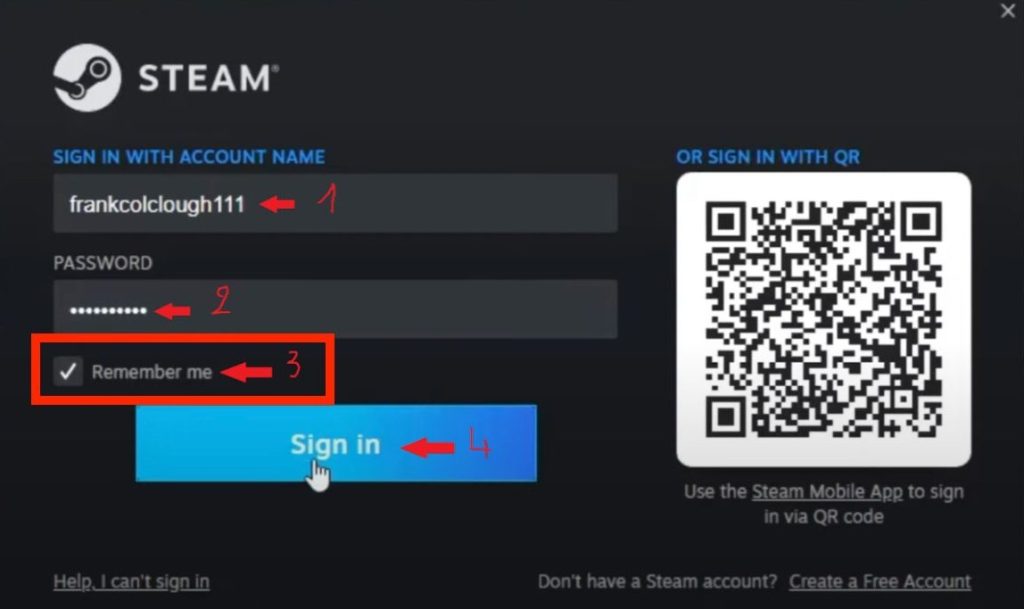
• Ensure the "Remember Me" box is ticked before pressing Sign in.
• Ensure the "Remember Me" box is ticked before pressing Sign in.
How Many times can I request Code?
You can only auto Request 2 Times
Error While Signing In Fix
If you receive error code 50 during logging in this is a temporary network issue on the account.
Restart PC and relogin after 10 minutes
AFTER LOGGING IN MAKE SURE TO Download The Game , And Minimize Steam ,
If it gives the Error “Logged in to Another Computer” Ignore it and Don’t click on Exit steam or Retry Login,
The Download will continue in the Background.
After Game has downloaded, you can simply relogin , Go offline On Steam and Play The Game
Where Can I Find Order Number
Order Number will be in your email or in the PDF download Page